
How To Guides
One4all Gift Card Deal – Get £10 Free + 5% Cashback🎁
☰What’s in this guide6 sectionsShowHide
Get up to £16 in extra value when buying a £120 One4all gift card, with even more potential cashback when you spend it.
If you're buying Christmas presents or planning some shopping anyway, this One4all gift card deal is worth knowing about.
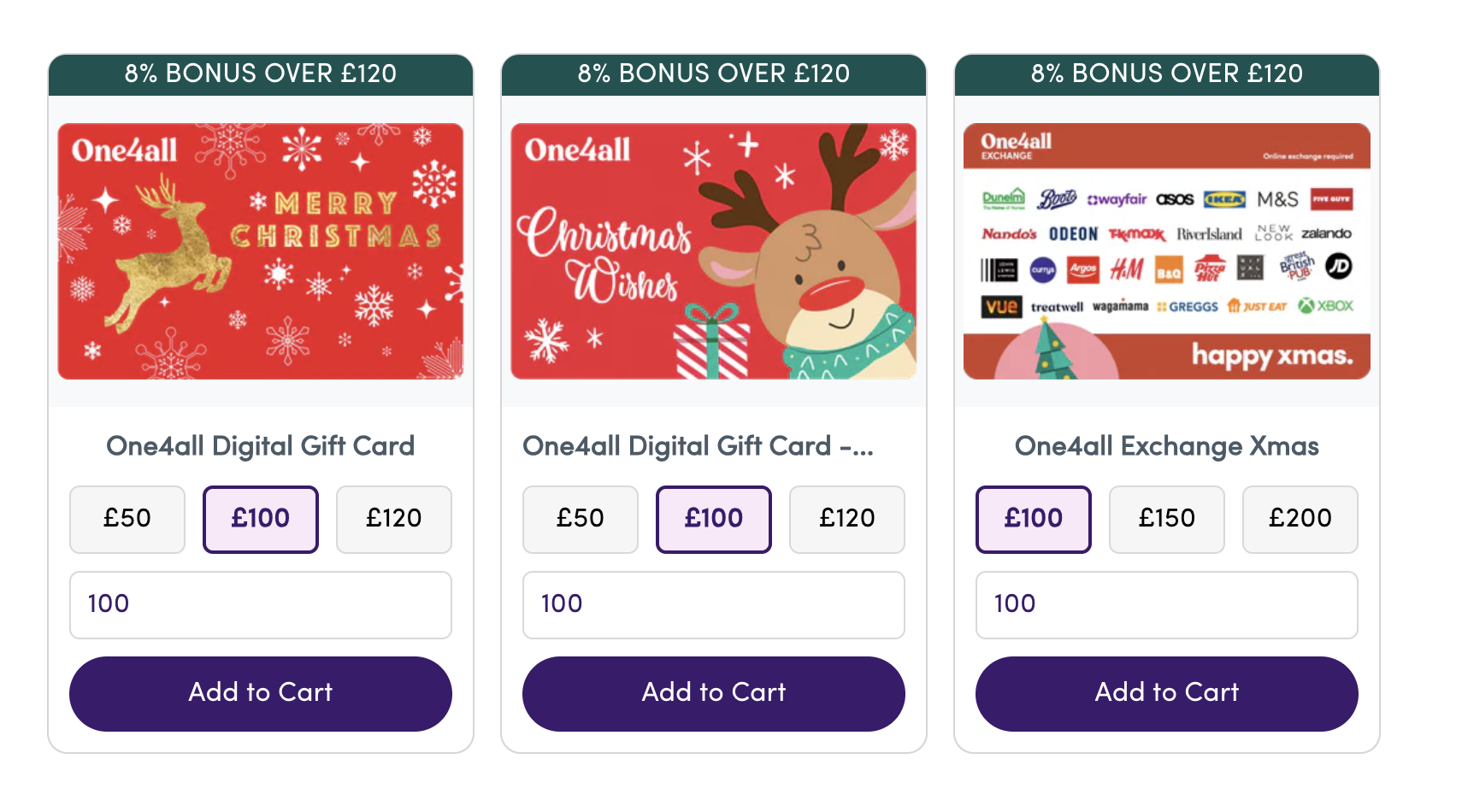
Giftcards.com is currently running a Christmas promotion offering up to 8% extra in One4all gift cards.
For example, spend £120 on a One4all gift card and you'll receive an additional £10 gift card completely free. That's £130 to spend for just £120.
But there's a way to make the deal even better.
By going through TopCashback first, you could also earn 5% cashback (£6) on your purchase, bringing the total potential extra value to £16.
And it doesn't necessarily stop there. There are other ways to earn rewards when spending your One4all balance, including through Airtime Rewards.
We'll explain exactly how to claim the Christmas bonus, potentially earn extra cashback and use a handy M&S trick to avoid leaving small amounts on your gift cards.
How to get your free £10 One4all gift card
The process is straightforward and should only take a few minutes. However, there's one important thing to check before paying.
Step 1: Start with TopCashback for an extra 5%
Before heading directly to Giftcards.com, it's worth going through TopCashback first.
At the time of writing, Gift Card Store UK has been advertised with 5% cashback through TopCashback.
On a £120 purchase, that's potentially another £6 back on top of the free £10 gift card.
Simply:
- Open TopCashback and sign in or create an account.
- Search for Gift Card Store UK.
- Check the current cashback rate and exclusions.
- Click through to Giftcards.com to make your purchase.
If you're new to TopCashback, there is also be a £10 joining bonus available once you've earned enough qualifying cashback.
The £120 One4all purchase could contribute £6 towards that threshold if it tracks and qualifies, but wouldn't necessarily unlock the joining bonus by itself.
Important: Cashback isn't guaranteed until approved, and rates can change. Make sure you check the live terms before purchasing.
Step 2: Find the One4all Christmas promotion
Once you're on Giftcards.com, head to the One4all Reindeer Digital Gift Card.
You should see a Christmas banner advertising:
Give more joy this Christmas – Up to 8% bonus
Select the digital gift card and choose the amount you'd like to purchase.
For the maximum bonus in the example we're covering, choose £120.
This should qualify you for an additional £10 One4all gift card, giving you £130 to spend in total.
Step 3: Make sure the free £10 bonus is applied
This is the most important step!
When you reach the checkout, check your basket carefully to make sure the promotional bonus has actually been added.
For the £120 example, your order should show:
- £120 One4all digital gift card
- £10 bonus One4all gift card – FREE
- Total to pay: £120
When we checked the promotion, the bonus appeared without needing to manually type in a promotional code.
However, don't assume that seeing the Christmas banner means the offer has been applied.
Make sure the additional £10 gift card is clearly included in your order before paying.
If it isn't showing, check the promotional details or try returning to the offer page before completing your purchase.
Step 4: Complete your purchase
Once you've confirmed the free gift card has been added, complete your purchase as normal.
Your One4all digital gift cards will be sent electronically, with the bonus card potentially arriving in a separate email.
Keep both emails, as you'll need the gift-card details when spending them.
You should now have £130 worth of One4all gift cards for £120.
If you went through TopCashback, keep an eye on your account to see whether your purchase tracks. Cashback can take time to become payable.
How much could you save?
Here's how the savings could stack up on a £120 purchase.
| Reward | Extra value |
|---|---|
| Free One4all Christmas gift card | £10 |
| TopCashback at 5% | £6 |
| Total potential extra value | £16 |
| Optional Airtime Rewards at Boots (4% of £130) | +£5.20 |
| Potential total with Boots cashback | £21.20 |
That means you could get £130 worth of gift cards plus £6 cashback for a £120 purchase.
And if you qualify for additional cashback when spending your One4all cards, the total could potentially increase further.
These figures combine promotional gift-card value and conditional cashback, rather than money paid directly into your bank account. Cashback rates, eligibility and exclusions can change.
Where can you spend One4all gift cards?
One4all gift cards are accepted at a wide range of participating UK retailers, making them particularly useful for Christmas shopping.
Depending on the retailer and the type of One4all card you have, you may be able to spend them online or in-store.
Digital One4all cards can also be added to a compatible mobile wallet for contactless payments at participating retailers.
However, there's one drawback worth knowing about.
One4all cards can be awkward when you're trying to spend the last few pounds.
For many online purchases, a digital One4all card works like a prepaid Mastercard, meaning the balance generally needs to cover the full transaction unless the retailer supports split payments.
For example, if you've got £15 left on your One4all card but want to buy something costing £20, you might not be able to combine your remaining balance with another payment method online.
Fortunately, there's a useful trick one of our team uses.
Our M&S trick: Avoid leaving small balances on your One4all card
One of our team uses their One4all gift cards to purchase M&S digital gift cards online.
Why?
Because an M&S gift card can be used towards a purchase, allowing you to pay the remaining amount using another accepted payment method.
For example, imagine you've got £20 remaining on your One4all card but want to buy £35 worth of shopping at M&S.
Rather than trying to pay directly with One4all, you could:
- Purchase a £20 M&S digital gift card using your One4all balance.
- Use that M&S gift card towards your £35 purchase.
- Pay the remaining £15 using another accepted payment method.
It's a handy way to use up your remaining balance rather than leaving a few pounds sitting on a card.
Worth knowing: This is a method used by one of our team, not an officially guaranteed conversion option. Gift-card payment acceptance can change, and minimum gift-card denominations may apply. Check the transaction is supported before relying on it.
Want to earn even more? Try Airtime Rewards at Boots
If you're happy to put in a little extra effort, there's another potential way to earn rewards when spending your One4all gift cards.
One method involves using One4all at Boots to purchase a Lifestyle gift card, which can then be exchanged for gift cards from participating retailers.
The interesting part is that Airtime Rewards has offered 4% cashback at Boots.
The idea is simple:
- Add your eligible One4all card details to Airtime Rewards.
- Add your digital One4all card to Apple Pay or Google Pay.
- Visit a participating Boots store and check whether you can purchase a Lifestyle gift card using One4all.
- If the transaction qualifies for Airtime Rewards, you could receive cashback.
- Exchange your Lifestyle gift card for a participating retailer you actually want to shop with.
For example, 4% cashback on a £130 purchase would be worth another £5.20.
That could bring the total extra value from the original £120 purchase to £21.20, including the free £10 One4all card and the potential £6 TopCashback.
However, this method isn't guaranteed. Gift-card purchases can be excluded from cashback promotions, and retailers may restrict which payment methods can be used to buy gift cards.
Check the current Boots offer and relevant terms before trying it.
For most people, simply claiming the free £10 One4all bonus and earning cashback on the original purchase is the easiest option.
Is the One4all Christmas deal worth it?
We think it's a decent offer if you're already planning on spending money at retailers that accept One4all.
You're essentially getting extra spending money by purchasing gift cards in advance, rather than paying full price when you shop.
The best part is that you don't need to do anything particularly complicated to claim the main bonus.
Just remember to:
- Check the cashback rate on TopCashback before buying.
- Select the eligible One4all Christmas gift card.
- Make sure the free £10 bonus has been added before paying.
- Check where you can spend your One4all cards before committing to a purchase.
It's also worth remembering that gift cards aren't the same as cash. They can have spending restrictions, fees or expiry conditions, so we'd only recommend buying an amount you're confident you'll use.
And if you're regularly buying gift cards to save money, make sure you bookmark our free Gift Card Cashback Comparison Tool.
It compares cashback rates across popular UK gift-card platforms, helping you find the best available deal before you spend.
Check the One4all Christmas offer
Offer advertised until 31 December 2026. Promotion availability, cashback rates and retailer acceptance can change. Check the bonus is applied before purchasing. Some links may be affiliate links, meaning My Side Gig may earn a commission at no extra cost to you.